To successfully pass the Basic Verification, you should:
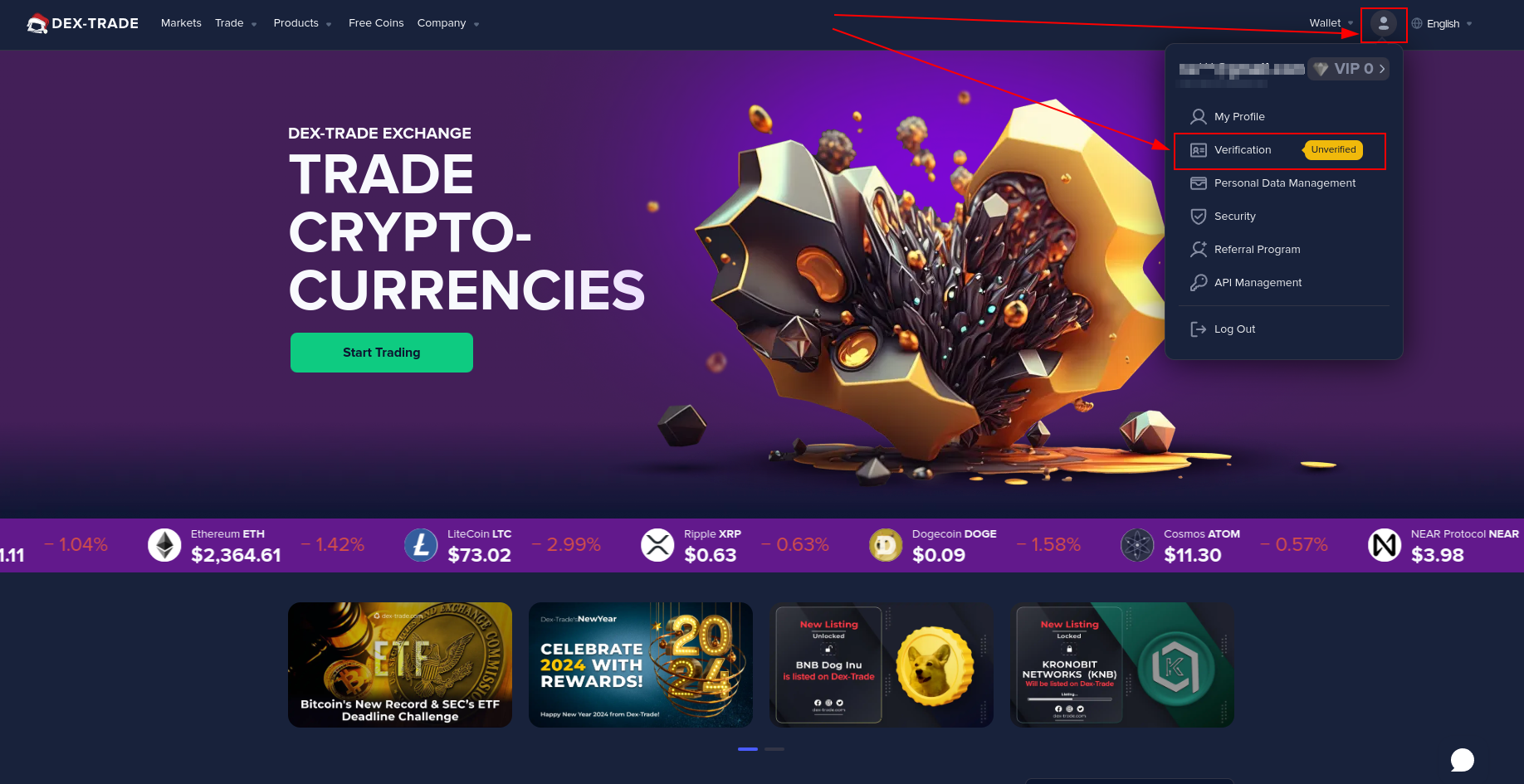
1. You need to go to our website.
https://dex-trade.com/
2. Sign in to your account.
https://dex-trade.com/login
3. In the upper right corner, click the "account icon" and click the verification button or follow the link.
https://dex-trade.com/verification
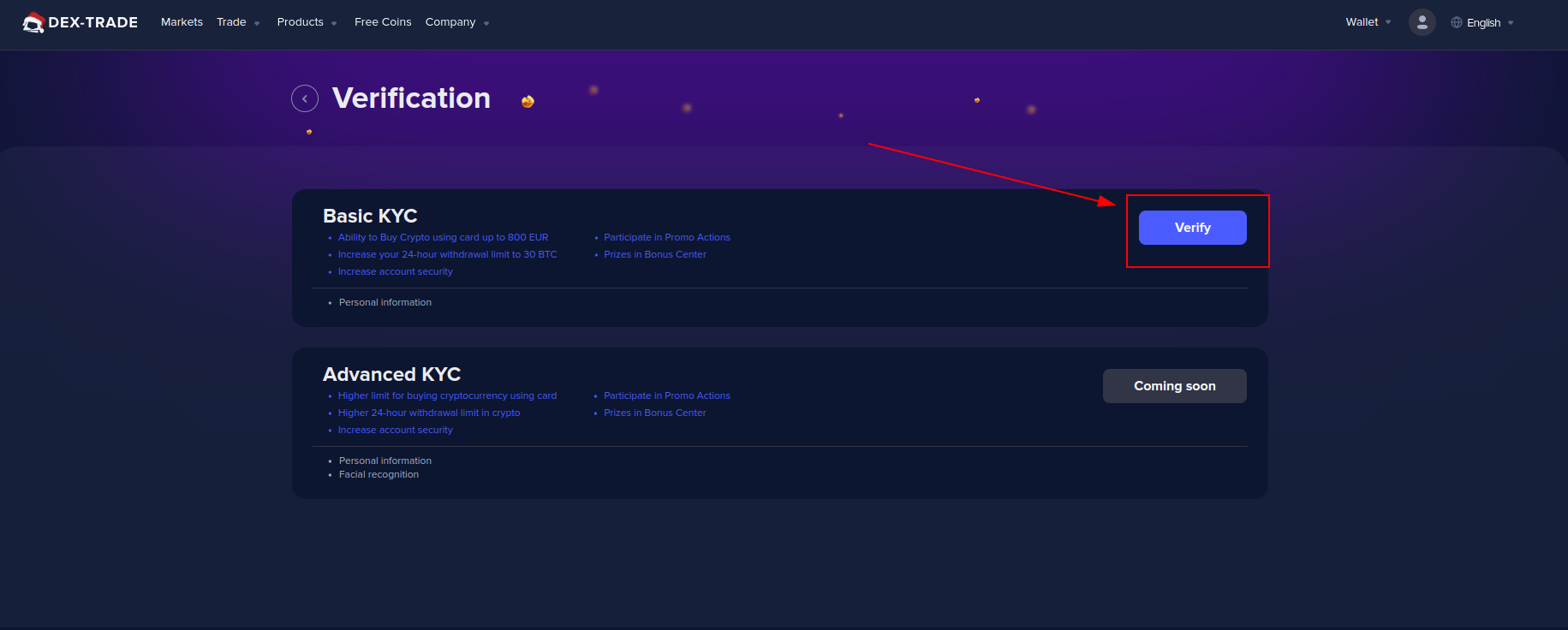
4. Opposite Basic KYC click the "Verify" button.
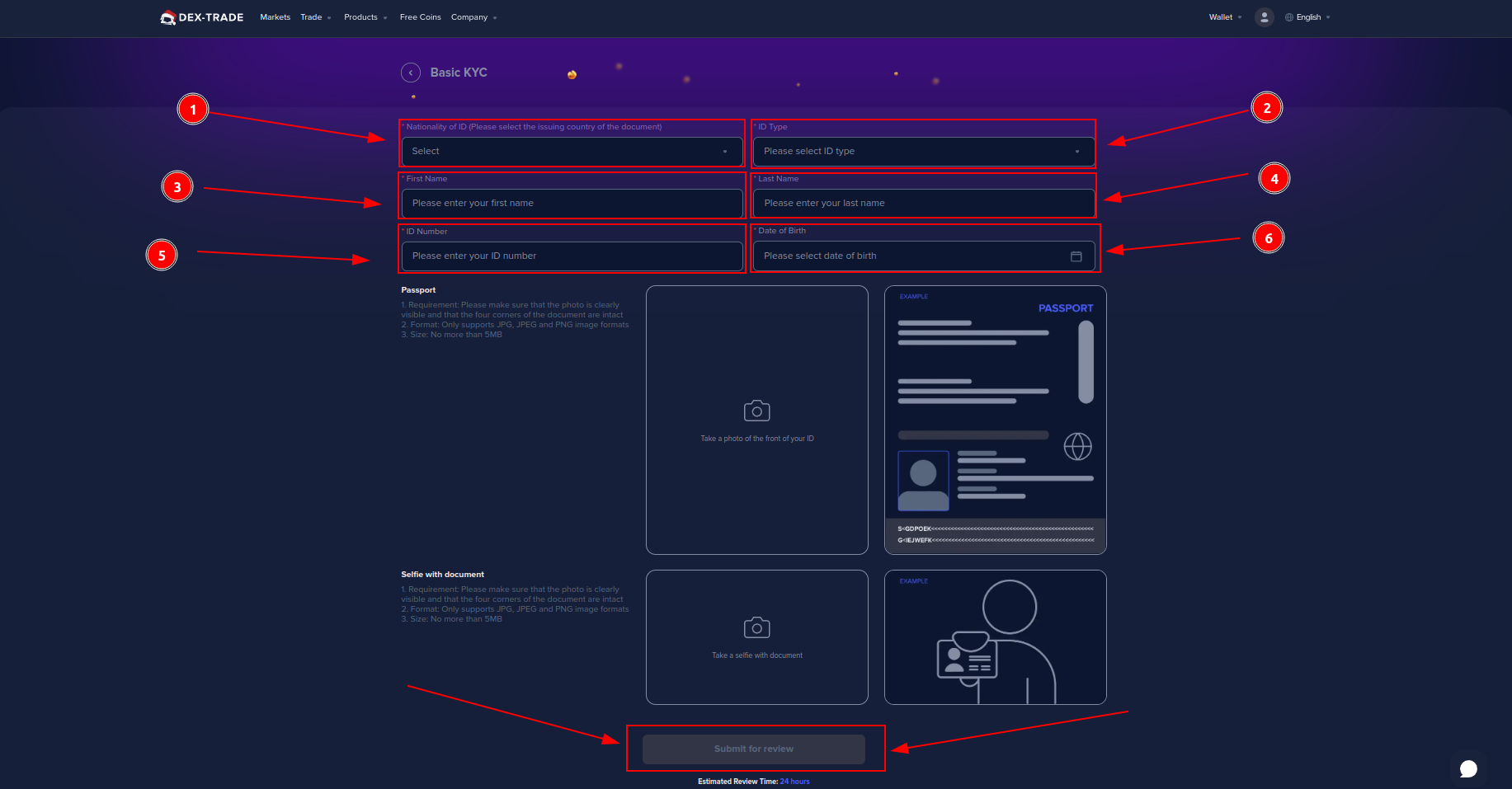
4.1. In the tab Nationality of ID (Please select the issuing country of the document).
4.2. In the "ID Type tab" (Please select the document type).
4.3. In the "First Name tab" (Please enter your first name).
4.4. In the "Last Name tab" (Please enter your last name).
4.5. In the "ID Number tab" (Please enter your document number).
4.6. In the "Date of Birth" tab (please select your date of birth).
5. If you selected the document type "Driver's license":
5.1. Take a photo of the driver's license (front).
5.2. Take a photo of the driver's license (back).
5.3. Take a selfie with the document (Driver's license).
6. If you selected the document type "ID Card":
6.1. Take a photo of the ID Card (front).
6.2. Take a photo of the ID Card (back).
6.3. Take a selfie with the document (ID Card).
7. If you selected the document type "Passport":
7.1. Take a photo of your passport (unfolded).
7.2. Take a selfie with the document (Passport).
8. Click the "Submit for Review" button.
Info: Verification is optional and is not required to use the platform. You can deposit, trade, and withdraw without passing verification (KYC). The only limit is that you can't withdraw more than 1 BTC per 24h without passing a verification (KYC)
If you have any difficulties with the verification process, please watch a detailed overview of these steps in this video
Verification for these countries is also not possible, so documents of users from these countries will not be accepted for verification.
Still, having any difficulties? Contact our Customer Support team anytime.
