By choosing demo trading on Dex-Trade, you can get virtual coins to experiment with Dex-Trade exchange and its various features before depositing and placing real orders.
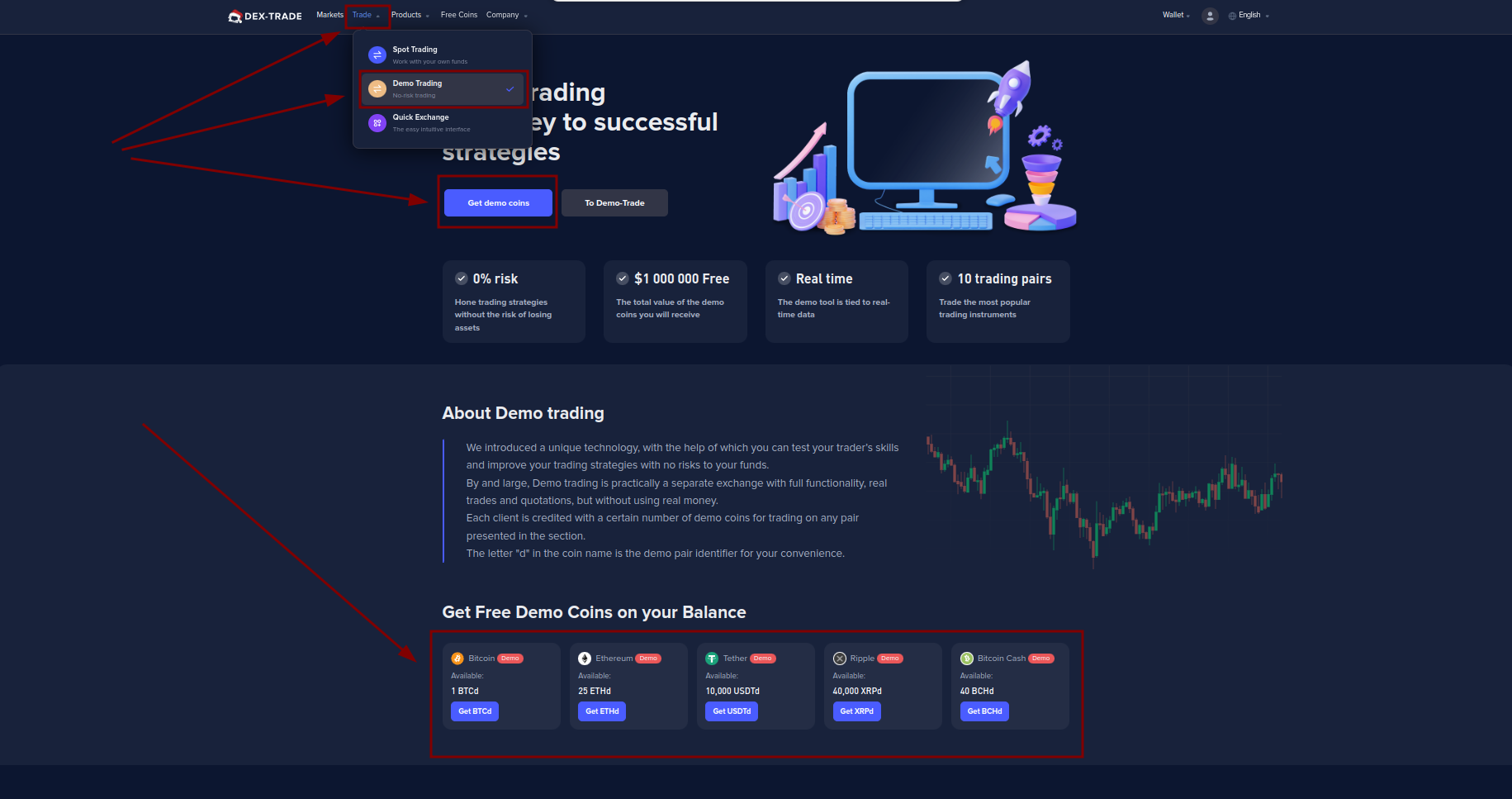
1. Click on the “Trade“ button.
2. Click on “Demo Trading“.
3. Click on the “Get demo coins“ button.
4. In the "Get Free Demo Coins on your Balance" section, select the cryptocurrency in which you want to receive demo coins.
5. Then click the “To Demo-Trade“ button.
6. Then you need to switch the checkbox to demo coins.
6.1. Click on the “Wallet“ button.
6.2. Click on the “Spot“ button.
6.3. Switch the demo coins checkbox.
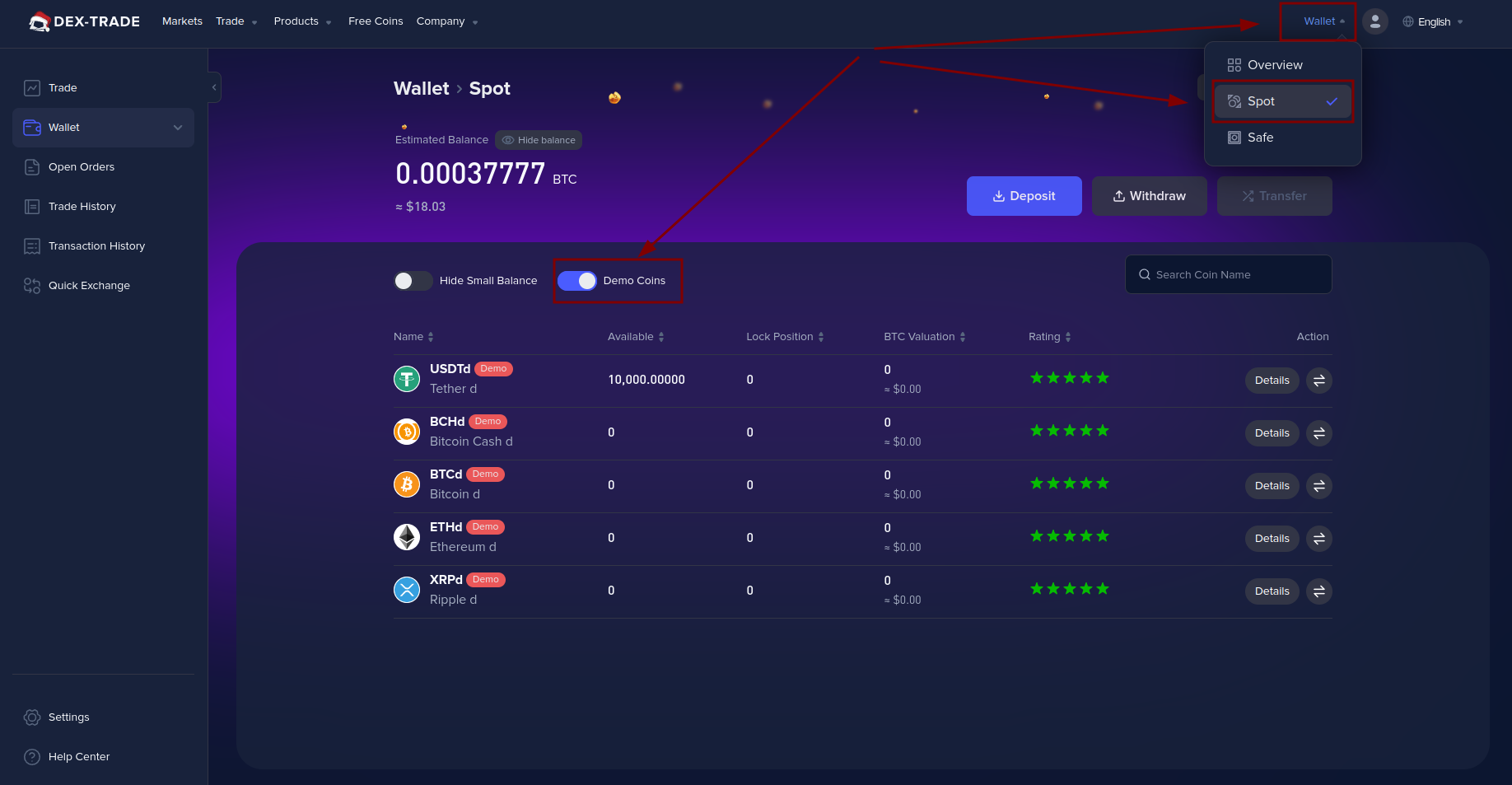
Pay attention that demo coins are not real assets and have the prefix "d" at the end.
Still, having any difficulties? Contact our Customer Support team anytime.
