Quick exchange is a simple, convenient, and fast tool for exchanging one of your cryptos for another one
How to use Quick Exchange?
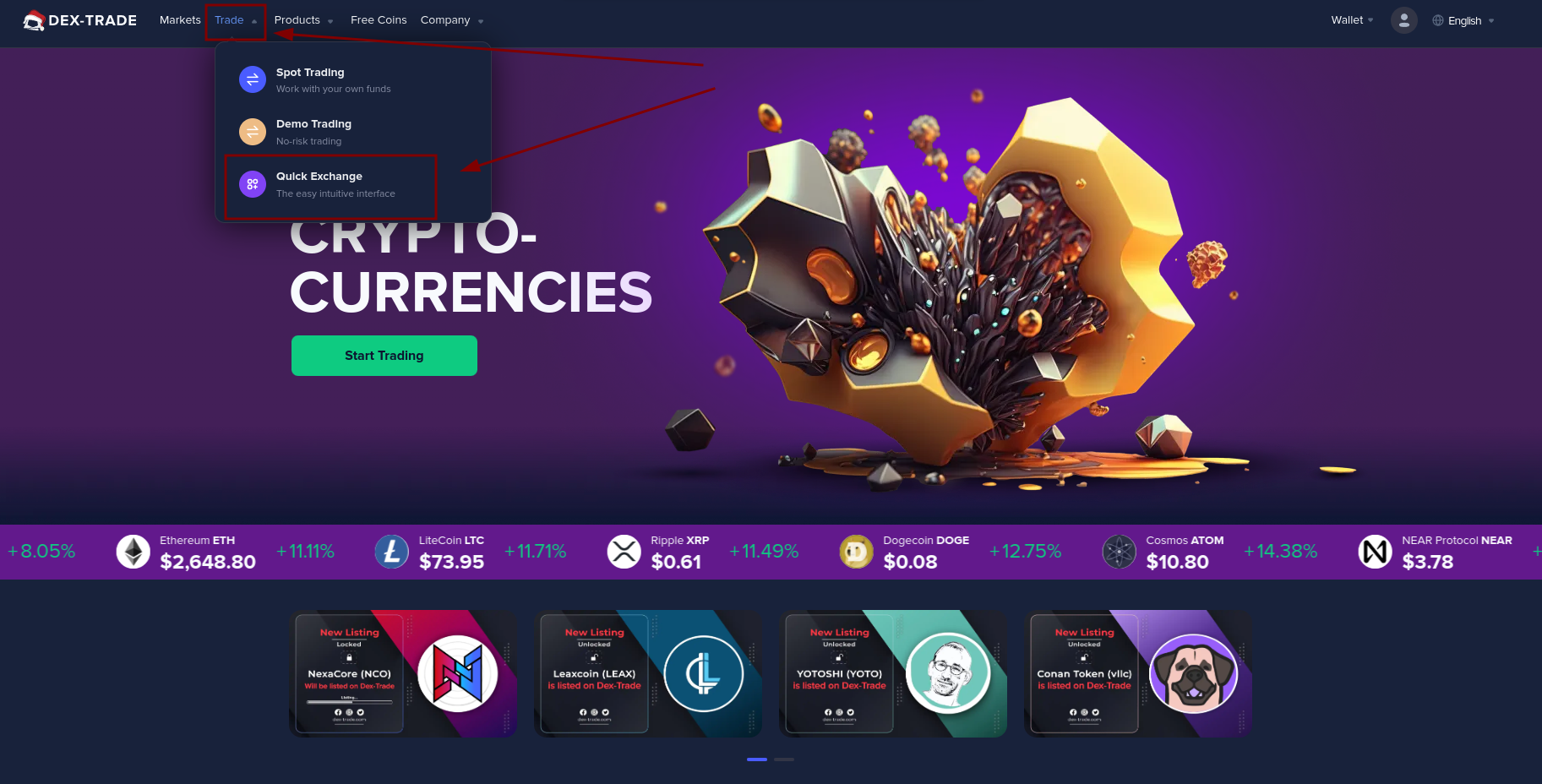
1. Open the Quick Exchange page. It is located in the Trading section.
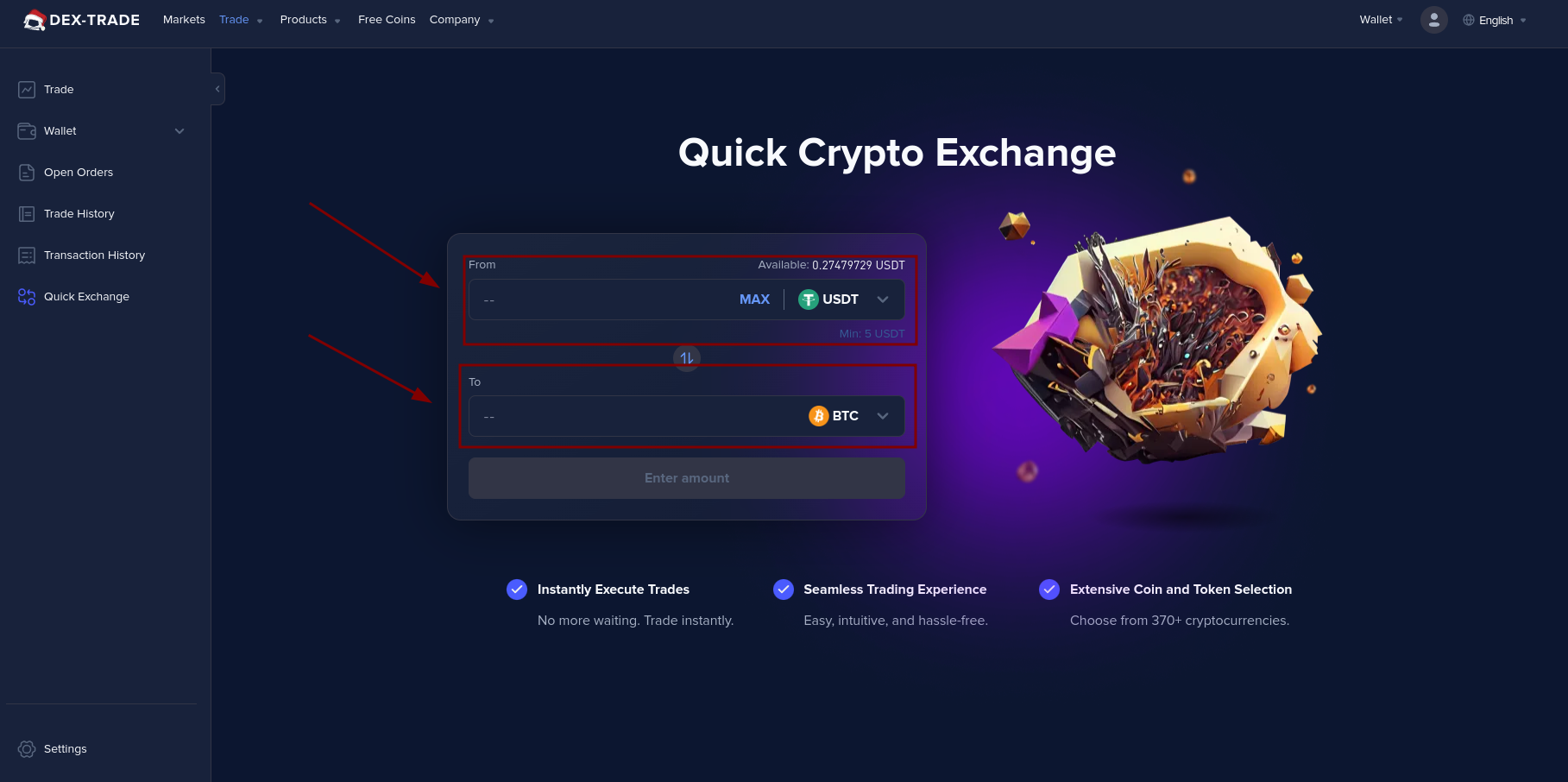
2. Select the coins you want to exchange from the drop-down list (points 1 and 2 on the screenshot).
3. Enter the amount of coins you want to exchange and click the "Preview Conversion" button.
Note, when you click the "Preview Conversion" button, the exchange will not occur, but the screen will show preview information of your exchange (price, fee, spend amount, receive amount)
4. Now you see the detailed information about your exchange (price, fee, spend amount, receive amount). If you agree with the proposed exchange conditions, you should press the "Convert" button.
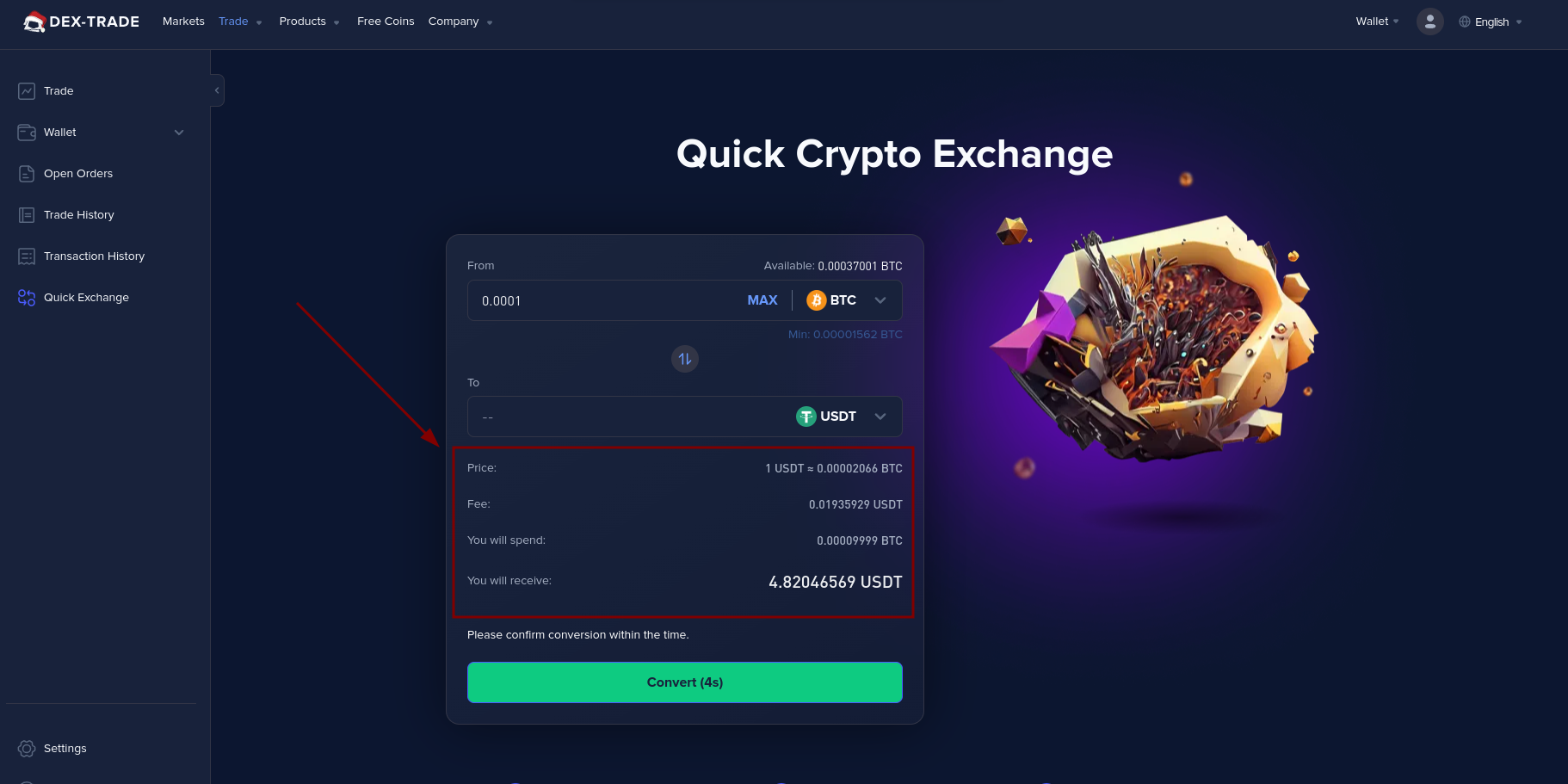
Remember that you only have 5 seconds to click the "Convert" button. If you do not have time to press this button, you will need to refresh the preview of the exchange conditions by pressing the "Refresh" button.
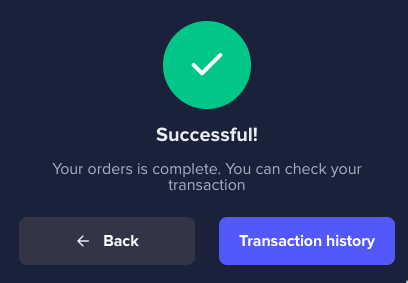
5. After clicking "Convert", you will receive a popup that will notify you that the exchange was successful
Still, having difficulties? Check out the in-depth video tutorial.
